DraftSight 2015 is out and Linux users can now install it without problems on a 64bit distro because this version is 64 bit only.
Showing posts with label Draftsight. Show all posts
Showing posts with label Draftsight. Show all posts

Sep 30, 2014
DraftSight Linux goes 64 bit
According to official sources, the next (V1R6) release of DraftSight for Linux will be 64bit instead of the 32bit older releases. This will make many Linux users happy because a native 64bit DraftSight version was a very popular demand. Unfortunately for users with older machines the 32bit version will be dropped.
Jul 12, 2014
DraftSight V1R5.2 fixes localization bug
DraftSight V1R5.2 is out and the important news are that now Linux users can open their files normally without worrying if the path contains any non-English characters. Finally after six months of waiting, DraftSight Linux users can expect normal functionality when they try to open their files.

You can download DraftSight V1R5.2 from here. As usually 32 bit .deb and .rpm files are available.
You can download DraftSight V1R5.2 from here. As usually 32 bit .deb and .rpm files are available.
May 6, 2014
How to make DraftSight look native on Ubuntu 14.04 LTS 64 bit
Here is a workaround to make DraftSight to use your desktop theme on Ubuntu 14.04 LTS 64bit.
- Create a new file named .gtkrc-2.0 inside your home folder
- Add the following line and save it.
- Edit your .profile file. It is inside your home folder and it's hidden so you have to hit Ctrl+H in order to make it visible.
- Add the following line at the end of this file and save it.
- Install gtk2-engines-murrine:i386
- Logout and then Login back in order to apply the changes
Apr 10, 2014
DraftSight and Ubuntu 14.04 LTS 64-bit
Ubuntu 14.04 LTS is the new LTS version of Ubuntu and it will be available on its final state later this month. 64-bit LTS versions are ideal for someone who wants to built a modern CAD workstation but unfortunately DraftSight comes on a 32-bit version only. Ubuntu provides support for running 32-bit applications on a 64-bit OS but DraftSight's installer doesn't support this functionality which is known as multiarch support. However the installation of DraftSight on a 64-bit Ubuntu 14.04 LTS system is possible with a few tweaks.
Mar 27, 2014
DraftSight V1R5.1 is out.
An update for DraftSight, the popular free DWG based CAD from Dassault Systemes, is now available. V1R5.1 comes with no major changes and unfortunately doesn't fix the bug with non-English characters.

Jan 21, 2014
DraftSight V1R5 is out with a lot of changes
DraftSight V1R5 has been released and its Linux version has some significant changes.
Most important of all is the change of the package name and the new locations of files and folders.
Most important of all is the change of the package name and the new locations of files and folders.
Aug 3, 2013
How to create layered PDFs with DraftSight
We frequently export our DWGs in PDF format in order to share them or open them with another program. However, these PDFs have the disadvantage to merge the layers of our drawing. Exporting layered PDFs appears to be more useful in sharing because they are kind of editable, with visible structure and also we can further work them out by other programs easier.
Let's see how to create a layered PDF with DraftSight:
In your drawing at DraftSight open File --> Export --> PDF Export.

In the PDF Export dialogue box that appears you are able to choose where to save your PDF, the paper size and the Sheets you want to export: the whole drawing (Model) or a part of it already set in a layout (Layout), or both. Also make sure that 'Use layers in PDF file' under Options is checked.


Let's see how to create a layered PDF with DraftSight:
In your drawing at DraftSight open File --> Export --> PDF Export.

In the PDF Export dialogue box that appears you are able to choose where to save your PDF, the paper size and the Sheets you want to export: the whole drawing (Model) or a part of it already set in a layout (Layout), or both. Also make sure that 'Use layers in PDF file' under Options is checked.

Then open the PDF with Evince (or alternative you can use Adobe Reader) and from the side bar at the left choose Layers. And here they are! You can see them and turn them on and off.

Jul 12, 2013
DraftSight V1R3.2 is available for download!
The last few days a new release of DraftSight has been available for download.
V1R3.2 doesn't introduce any new features. It's a quality, bug-fixing release only.
You can download it for free and use it for free after a simple registration.
As usual, only 32bit installers are available for Linux users (both .deb and .rpm).

V1R3.2 doesn't introduce any new features. It's a quality, bug-fixing release only.
You can download it for free and use it for free after a simple registration.
As usual, only 32bit installers are available for Linux users (both .deb and .rpm).

Apr 2, 2013
Lost in Support: DraftSight
DraftSight, the free 2D dwg-based solution by Dassault Systemes, is an interesting choice for everybody.
Mar 9, 2013
New online part library for DraftSight users
TraceParts with this press release announced the availability of a new service exclusively for DraftSight users.
From now DraftSight users have access to millions of 2D drawings for standard parts from a variety of supplier catalogs.
After a simple registration DraftSight users can navigate to the online library and download any of the available drawings for free.
From now DraftSight users have access to millions of 2D drawings for standard parts from a variety of supplier catalogs.
After a simple registration DraftSight users can navigate to the online library and download any of the available drawings for free.
Jan 26, 2013
DraftSight V1R3.1 is now available !
Dassault released today an updated version for DraftSight. This new V1R3.1 version fixes 2 bugs in fonts:
- The display of .ttf fonts in model and paper space.
- The PDF export of .shx fonts (Capital E letter problem)
As usual 32bit only .deb and .rpm files are available.

If you experience any problems with the download page try the direct links provided in this post.
- The display of .ttf fonts in model and paper space.
- The PDF export of .shx fonts (Capital E letter problem)
As usual 32bit only .deb and .rpm files are available.

If you experience any problems with the download page try the direct links provided in this post.
Jan 19, 2013
Direct Links for DraftSight Linux
The DraftSight's download page seems to have problems and the download buttons are not visible.
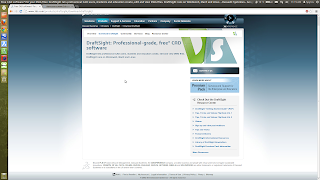

So if you want to download DraftSight for Linux you can temporarily use these direct links.
DraftSight .deb
DraftSight .rpm
P.S. You can find these links by viewing page's source code.


So if you want to download DraftSight for Linux you can temporarily use these direct links.
DraftSight .deb
DraftSight .rpm
P.S. You can find these links by viewing page's source code.

Oct 11, 2012
DraftSight V1R3 is available for Download
An updated version of DraftSight (v1R3) is available. This version has some new functionality for easy creation of Revision Clouds but it has also a problem with the display of .ttf fonts. You can download this version here. As usual both .rpm and .deb files are available but for 32bit Linux only.


May 24, 2012
DraftSight V1R2 is out but it's broken
A new version of DraftSight has been released but it's completely unusable with the new Ubuntu 12.04 LTS. The application seems broken and I get a segmentation fault when I try to launch it. Sometimes the application opens but pull down menus and toolbars are missing. I'll try to investigate if there is any way to fix that but I don't expect any solution about this.
Ubuntu 12.04 users have to be careful with this. Don't upgrade if you don't have a copy of the previous DraftSight V1R1.4 installer.

Ubuntu 12.04 users have to be careful with this. Don't upgrade if you don't have a copy of the previous DraftSight V1R1.4 installer.

DraftSight V1R2 on Ubuntu 12.04. Disaster!!!
Update: DraftSight V1R2 doesn't have any GUI problems with CentOS 6.2 32bit, OpenSUSE 12.1 64bit and Ubuntu 12.04 64bit ???!!!(All these are VirtualBox installations). On my Ubuntu 12.04 32bit installation I finally got back the toolbars but the pull-down menus are still missing.
Update 2: Finally I got a working DraftSight V1R2 on Ubuntu 12.04 LTS 32bit. The problem is that DS tries to load missing or invalid CUI and Menu files when your system locale is not English.
To get a correct looking DraftSight you have to:
- type options on the command line and navigate to File Locations--->Interface--->Customization File and then load the correct application.xml file. Save the changes

This will make the toolbars visible again.
After that:
-right click on a toolbar and select Customize Interface
Navigate to UI Profiles--->UI Profiles--->Menu Bar, then click to the button show menu explorer and then drag 'n' drop all the items into the Classic default entry. Save the changes again.


Finally DraftSight looks OK again
 .
.
Update 2: Finally I got a working DraftSight V1R2 on Ubuntu 12.04 LTS 32bit. The problem is that DS tries to load missing or invalid CUI and Menu files when your system locale is not English.
To get a correct looking DraftSight you have to:
- type options on the command line and navigate to File Locations--->Interface--->Customization File and then load the correct application.xml file. Save the changes

This will make the toolbars visible again.
After that:
-right click on a toolbar and select Customize Interface
Navigate to UI Profiles--->UI Profiles--->Menu Bar, then click to the button show menu explorer and then drag 'n' drop all the items into the Classic default entry. Save the changes again.


Finally DraftSight looks OK again

Apr 28, 2012
Ubuntu 12.04 LTS and .dwg-based CAD
After the installation of the new Ubuntu 12.04 LTS I tested the installation of all the available .dwg based CAD applications.
Mar 19, 2012
DraftSight and Ubuntu 12.04 LTS 64bit
Ubuntu 12.04 LTS will be released on April 26 with some important and useful features like multiarch-support. However some 32bit packages still have installation problems on 64bit systems because they don't follow the new specifications. One of the packages that need some tricks in order to install it on a 64 bit Ubuntu 12.04 system is the current V1R1.4 of DraftSight.
Feb 25, 2012
Ubuntu 12.04 LTS 64bit will make the life easier to Linux CAD users and vendors
As you probably already know all the .dwg-based Linux CAD are 32bit only and their installation on 64bit Ubuntu systems is currently painful. But this will change soon...
Feb 1, 2012
A silent DraftSight update: Some important fixes and a stupid new bug
Today I mentioned that the DraftSight's deb and rpm files have been updated since January's 17 but there was no information about that. No mail notification, not even a post on DraftSight's community. However this new V1R1.4 version of DraftSight is important for linux users.
Jan 5, 2012
DraftSight on CentOS 6.2 (32bit)
I was very curious if DraftSight can work with RHEL clones like CentOS or Scientific Linux. So I decided to test the installation of DraftSight on CentOS 6.2.
Subscribe to:
Posts (Atom)